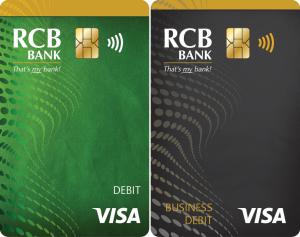
Did you know that if you utilize Apple Pay®, Samsung Pay or Tap to Pay with your RCB Bank debit card, you have a higher chance of preventing fraud? See below for more tips and tricks on how to prevent fraud.
DO NOT GIVE OUT YOUR INFORMATION! We will never contact you asking for your Online Banking username and password, debit card number or your PIN.
Our Edmond location at 3600 S. Boulevard will be closed on Tuesday April 23, 2024. Currently, the lobby at our Edmond location at 3600 S. Boulevard is temporarily closed, however the drive-thru at this location is open. Our other Edmond locations are also open as normal. We apologize for any inconvenience.
Security Center
At RCB Bank, we know high-level security isn't just important, it's crucial. We are always making a continuous effort toward providing the highest standard of information security.
Suspect Fraud to Your Account?If you feel that your account has been compromised, contact the RCB Bank Fraud Department by calling 877.361.0814.
Our fraud department is available Monday through Friday 8 a.m. to 6 p.m., Saturday 8 a.m. to 4 p.m. and Sunday 8:00 a.m. to 12:00p.m., excluding Federal Holidays.
- Crypto Scams
- Phone Scams
- SMShing (Text Message Fraud)
- QR Code Phishing
- IRS Scam
- Debit Cards
- Wire Fraud
- Online & Mobile Banking
- Email Fraud
- Identity Theft
- Spoof Websites
- Unemployment Fraud
- Ransomware
- Business Security
- Schemes & Scams
- Social Media Scams
- What To Do If You're a Scam/Fraud Victim
- Elder Financial Exploitation
Beware Of Crypto Scams
Cryptocurrency, or “crypto”, has become very popular in recent years. Digital currencies such as Bitcoin have also become a popular tool for scammers to use, especially in places where the funds transfer is as simple as depositing cash into a Bitcoin ATM and transferring it to an address. An article published in June 2022 by the Federal Trade Commission showed that consumers reported losing over $1 billion in cryptocurrency to scams since the start of 2021. Consumers should be cautious with cryptocurrencies, especially if someone asks them to convert US dollars into cryptocurrency and send it to someone. According to the FTC, crypto is attractive to scammers because:
- There’s no bank or other centralized authority to flag suspicious transactions and attempt to stop fraud before it happens.
- Crypto transfers can’t be reversed – once the money’s gone, there’s no getting it back.
- Most people are still unfamiliar with how crypto works.
How Crypto Scams Work
- Scammers must first choose and initiate contact with a potential victim. They may reach out using:
-
- Email “phishing”.
- SMS text messages or “smishing”.
- Phone calls.
- Packages, especially anything delivered using a delivery or courier service that is not the USPS, such as FedEx or UPS. Most scammers do not send things using the United States Postal Service because that would constitute mail fraud, which is a federal crime and is heavily investigated and prosecuted. Beware of anything like checks that are not sent through the USPS mail that are sent by someone with whom you are not familiar, even if you have been told in advance to expect its arrival.
- Social media. Social media is the most popular means of making content with potential victims. Be careful about what personal information you publish about yourself. Scammers use personal information to select potential victims, but they will also use your personal information to imitate you. Also, if you are contacted by what appears to be someone you know, verify with another form of communication, as it is possible a scammer may be using personal information from your loved ones to convince you it’s them.
- Many crypto scams involve promises of extremely high returns if victims “invest”.
- Scammers will ask victims to send them Bitcoin. In many cases, the victim will be instructed to withdraw US dollars from a bank account and convert them to Bitcoin and send them to a digital “address”. A common way of facilitating this is to use Bitcoin ATMs, where cash can be deposited, where it is automatically converted to Bitcoin and then can be sent to an address immediately. Once it is transferred to that address, that funds transfer cannot be reversed. Since this is the one of the easiest ways to convert dollars to Bitcoin and send them to a digital wallet, it is extremely popular with scammers. Bitcoin scammers will try any means necessary to entice you to withdraw money and deposit it into a Bitcoin ATM and send it to their address. Some of those methods include:
- Imitating a friend or loved one.
- Offering you extremely high returns on your investment.
- Intimidation, stress or pressure, including such threats as restricting access to a phone.
- Romance scams.
- If scammers are successful, they will likely continue their tactics to get more money out of their victims. They may also provide your information to other scammers who may attempt to contact you as law enforcement or as someone who can help you get your funds recovered.
How to Avoid Becoming a Victim
- Before you engage in any interaction that requires Bitcoin, run it past a professional, such as your bank, CPA or H&R Block professional. Be very careful when you take out cash from your account and send it through a Bitcoin ATM. Since Bitcoin is also a form of currency, it is likely that you are not investing at that point, you are being scammed into sending your cash to someone else.
- Do not send money on behalf of anyone else. No professional is not going to send you funds to send to another individual through crypto.
- Just because you receive checks with your name on them, does not mean you have been added to an account. Unless you sign your name to a bank document, you have not been added to any account. When in doubt call the bank that is printed on the checks to confirm if you believe you are on that account.
- Beware of anything like checks that are not sent through the USPS mail and are sent by someone with whom you are not familiar, even if you have been told in advance to expect its arrival. Scammers will likely not use the USPS, since that would constitute mail fraud, which is a serious federal offense that is investigated by the USPS. They are more likely to use FedEx or UPS.
- If you receive a package with a different name or address on the check inside than the name or address on the package, do not cash the check or engage with the sender, even if they contact you afterwards.
- If the conversation does not make sense (i.e., the sentence structure is not normal) contact a trusted advisor such as banker, CPA or H&R block employee. An example is a conversation that goes “Really good to hear from you after all this while. That reminds me, did you see the TV news about the ongoing (CSBG) grant program?”
- They will contact you multiple times within a short period of time and harass you and make you feel pressured to stress you out.
- If you are unsure about or not comfortable with the situation, please contact us before you give any info or make any transactions. Scammers will likely tell you not to tell anyone, especially your bank, and will often use intimidation or pressure to keep you from talking to others about it. Crypto transfers cannot be reversed – once the money’s gone, there’s no getting it back.
What to do if you have provided your information to scammers
- You can contact the FBI through ic3.gov and file a complaint that you may be the victim of identity theft.
- Contact the RCB Bank fraud department by calling 877.361.0814 as soon as possible. Crypto transfers cannot be reversed, but it may be possible to take steps to protect victims from future harm.
- Once you have been a victim of a scam, you may be at elevated risk of more attempts from different scammers who will know you are a victim. Be very cautious of any future attempts of contact by people you don’t know or are unable to verify their identity.
Source:
Emma Fletcher, June 3, 2022 “Reports show scammers cashing in on crypto craze” Consumer Protection Data Spotlight https://www.ftc.gov/news-events/data-visualizations/data-spotlight/2022/06/reports-show-scammers-cashing-crypto-craze
There has been a drastic increase in mobile device phone fraud. Learn about the risks of falling victim to phone fraud and how to mitigate it.
Do NOT click on anything that you’re not expecting to receive! Mobile device phone fraud is drastically increasing!
How does this work: You get a text message telling you to “click here,” which then downloads malware on your phone. You would be able to watch the scammer using your phone remotely.
How can you stop it: If your phone stops working, visit your cell phone provider. Explain that you may be experiencing a SIM swap and need your SIM turned off immediately and replaced.
What to do to prevent it: Do NOT click on any links that you are not expecting to receive. Questions you need to always ask yourself about links in emails or texts:
– Were you expecting this message and link?
– Is it from someone you trust?
– Does the email/phone number match the contact information that you have for that person?
If any of your answers to the above questions are no, then you need to contact that person in a separate method from what you received to confirm that it’s legitimate.
What is SMShing?
It’s similar to phishing. But instead of an unsolicited email, it’s through text messaging. The term SMShing is a mashup of SMS – short messaging service (i.e. text messages) – and phishing.
A typical SMShing message will seem like it’s from a bank, but it’s not just limited to fake banking messages. Recently, the United States Postal Service issued a media release warning against unsolicited text messages claiming that a USPS delivery needs immediate response. Other messages may appear to be from Costco, Home Depot, Amazon or other retailers.
No matter where the message says it’s from, one thing holds true – scammers are trying to gain your personal information.
The scammers are hoping to receive information such as: account usernames and passwords, Social Security number, date of birth, credit and debit card numbers, personal identification numbers (PINs) or other sensitive information. This information is used to carry out other crimes, such as financial fraud.
If you feel like the message may truly be authentic, you should still verify before sending information. If you get a text purportedly from a company or government agency, check your bill for contact information or search the company or agency’s official website. Call or email them separately to confirm whether you received a legitimate text. A simple web search can thwart a scammer.
How to avoid becoming a SMShing victim
The Federal Communications Commission offers these tips to avoid becoming a victim of a SMShing attempt:
- Never click links, reply to text messages or call numbers you don’t recognize.
- Do not respond, even if the message requests that you “text STOP” to end messages.
- Delete all suspicious texts.
- Make sure your smart device’s operating system and security apps are updated to the latest version.
- Consider installing anti-malware software on your device for added security.
The bottom line – as it is in most attempted scams – is stop before automatically sharing your information, no matter how official it looks. Verify the authenticity of the message you receive. With due diligence, you can avoid becoming a victim of a scammer.
If you think that you are a victim of smishing, you should contact law enforcement to report the scam. You can also file a complaint with the FCC at no cost.
If ever you receive a text that looks like it may be from RCB Bank, but you are unsure, please call us at 855-226-5722.
What are QR Codes
QR Codes, or quick response codes, are images that can be scanned by a camera on a mobile device which will then allow a person to easily visit a website or view an app in their device’s app store. Many companies and government agencies use QR codes to allow their customers to easily access important information. With their increase in popularity in recent years, there has also been an increase in QR code phishing scams called “Quishing.”
How It Works
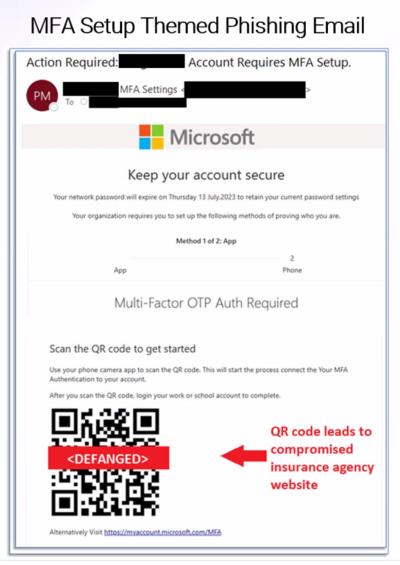
Quishing uses QR codes to get victims to visit a website without first being able to see the URL, like they would be able to see with a text hyperlink. They will use email formats that mimic a trusted source such as Microsoft multi-factor authentication emails.
How do Quishing scams avoid security measures?
Rather than something harmful being downloaded to the device, the intent of quishing is to bring victims to a website or other location where they are then prompted to enter credentials, download malware or other harmful activities. This allows scammers to evade email and mobile device security measures.
Common Quishing Email Tactics
Quishing scams are likely to arrive in emails about the following subjects:
- Multi-Factor Authentication Setup
- Security Authentication
- Expired Passwords
- Any activity where the potential victim would expect to click a link
How to Protect Yourself from Quishing
- Only scan QR codes from trusted sources. Never scan a QR code from an unfamiliar source. Verify with the source if you are provided anything with a QR code that is on a sticker that the QR code is legitimate.
- Do not scan QR codes in emails. If you receive a QR code from a trusted source, verify that the message is legitimate before following any instructions on the email or clicking any links.
- Be suspicious of multi-factor authentication that requires you scanning a QR code from an email.
- Be on the lookout for other warning signs of email scams, such as incorrect spelling, grammatical errors and fonts that look strange. Also be suspicious of anything that aims to create a sense of urgency or appeal to emotions.
- If a QR code takes you to a place where you are asked for any kind of personal information or to download anything, be cautious and verify with the company that it is safe. If you don’t feel comfortable, don’t enter your personal information, including credentials.
- Be cautious of shortened URLs or websites that don’t match what you expect to visit. There should not be a reason that a URL would need to be shortened since the visitor does not have to enter it manually into their browser.
IRS Warns Taxpayers of New Scam Mailing/Email
The IRS is warning taxpayers to be on the lookout for a new scam mailing that tries to mislead people into believing they are owed a refund. The new scheme involves a mailing coming in a cardboard envelope from a delivery service. The enclosed letter includes the IRS masthead and wording that a notice is “in relation to your unclaimed refund.”
Like many scams, the letter includes contact information and a phone number that do not belong to the IRS. But it also seeks a variety of sensitive personal information from taxpayers, including detailed pictures of driver’s licenses and bank account information, that can be used by identity thieves to try obtaining a tax refund and other sensitive financial information.
In this new scam, there are many warning signs that can be seen in many similar schemes via email or by text including odd punctuation and a mixture of fonts. An unusual feature of this scam is that it tries tricking people to email or phone very detailed personal information in hopes of stealing valuable information.
The IRS will not initiate contact with taxpayers by email, text or social media to request personal or financial information. They also will not call taxpayers with threats or arrests, nor will they call, email or text to request taxpayers’ Identity Protection PIN’s. Visit the IRS Taxpayer Guide to Identity Theft for more information on ways to protect yourself from these scams.
How We Protect You:
EMV Chip Technology
The chip in your debit card provides another layer of security when used at terminals and ATMs that are chip-enabled. This added security provision makes it difficult to copy or counterfeit the card data stored in the chip.
Fraud monitoring
We are committed to protecting your money. Our fraud department is continuously monitoring for suspicious card activity and we will contact you immediately, if we suspect fraud is occurring. Also, if you suspect fraudulent activity or if your card is ever lost or stolen, contact us immediately.
Fraud Department Customer Service:
Current hours: Monday – Friday: 8 a.m. – 6 p.m. Saturday: 8 a.m. – 4 p.m. Sunday 8:00 a.m. – 12:00p.m Call 877.361.0814.
Deactivating Your Card
Deactivate your card anytime by using our automated telephone system.
- 918.343.2265 Claremore
- 580.767.7777 Ponca City
- 918.825.5566 Pryor
- 405.842.4129 Oklahoma City
- 877.812.4663 Toll Free & Kansas
Press “2” at the main menu for this option.
What You Can Do:
- Review account activity often.
- If traveling out-of-state or internationally, it is important that you notify us so we can provide continued usage of your card. If you are planning to travel, please call 877.361.0814 prior to your departure
- Never share your PIN number with anyone
- Keep your PIN number safe, never write it on the card or store it in your wallet
- Make sure to notify the bank of any address, telephone number or email address changes
- Please respond immediately to calls from our Fraud department for confirmation of suspicious attempts or transactions
Safe ATM Tips
- Always pay close attention to your surroundings. Don’t select an ATM at the corner of a building — corners create a blind spot. Use an ATM located near the center of a building. Do your automated banking in a public, well-lit location that is free of shrubbery and decorative partitions or dividers.
- Be wary of people trying to help you at the ATM. Hit the “cancel” button and leave if a person makes you feel threatened. Be aware of anyone sitting in a parked car nearby. When leaving the ATM make sure you are not being followed. If you are, go immediately to a police/fire station, or to a crowded, well-lit location or business.
- Don’t use an ATM that appears unusual, tampered with or offers options which you are not familiar or comfortable with.
- Don’t allow people to look over your shoulder as you enter your PIN, even if the people are known to you. Memorize your PIN; never write it on the back of your card.
- If you are on foot, turn your back towards the machine while waiting for cash and take a quick look around before removing it.
- Never count cash at the machine or in public. Wait until you are in your car or another secure place.
- When using a drive-up ATM, keep your engine running, your doors locked and leave enough room to maneuver between your car and the one ahead of you in the drive-thru line.
- Closely monitor your statements, as well as your balances, and immediately report any problems to us.
- If you are involved in a confrontation with an assailant who demands your money, COMPLY.
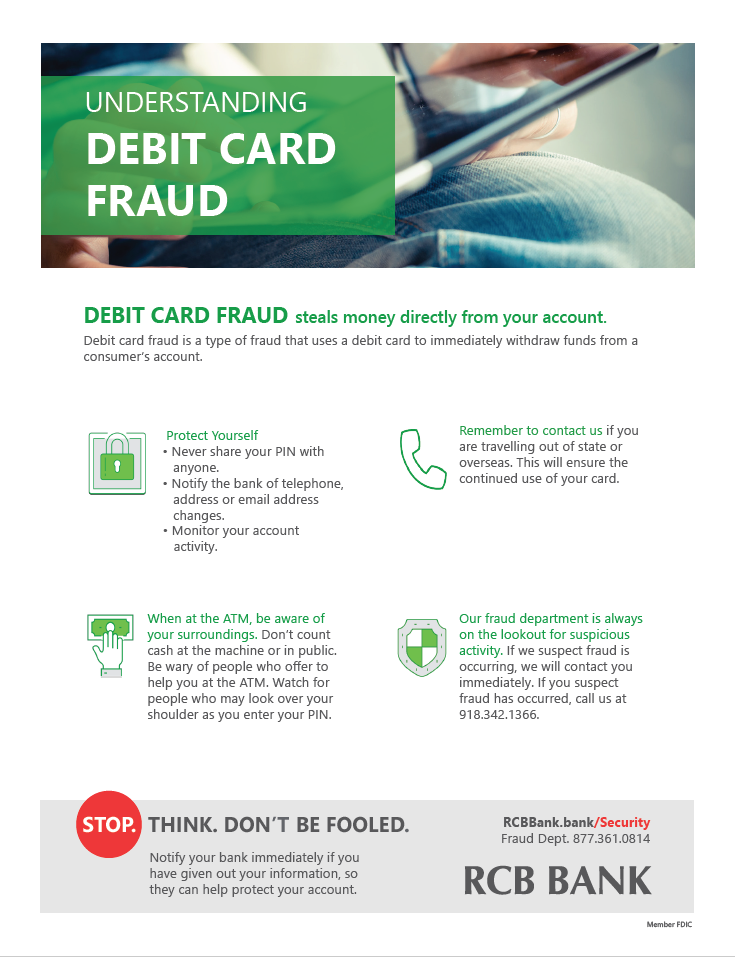
Click the image to enlarge. This information is available in a printer-friendly flyer that you can download by clicking the button below.
Important for Travel:
Because out of state and foreign card transactions can appear as suspect fraud, it is important that you notify us if you are traveling so we can ensure continued use of your card. Please note that all embargoed OFAC countries are blocked. To see a current listing of blocked OFAC countries, please visit the U.S. Department of the Treasury site.
Steps to protect your money when traveling:
- Notify the bank of any upcoming travel, whether foreign or domestic
- RCB Bank offers pre-paid VISA cards and credit cards as an alternative payment method
Tips to keep your bank account safe from fraud:
- Please respond immediately to requests for confirmation of suspicious attempts or transactions
- Be aware of ATM skimmers, gas pump skimmers and other related fraud devices
- Please keep the bank updated on current contact information
- Always carry an alternative method of payment with you
- Never share your PIN with anyone
- Monitor your account activity often
Call the Fraud hotline number if you suspect fraud has occurred on your card: 877.361.0814
Wire fraud occurs when a criminal creates a scheme to obtain money based on false representations or promises. Criminals pose as legitimate institutions or a trusted friend in phone calls, emails, text messages and many other forms of communication. Debit card fraud is a type of fraud that uses a debit card to immediately withdrawal funds from a consumer’s account.
Money moves quickly in a wire transfer. This makes it almost impossible to get back. If you deposit a check that turns out to be fake, you are responsible for repaying the bank.
Wire fraud can be committed through email, text messages, telephone calls, television and radio communications. Mail service is also used to solicit funds for phony charities or non-profit organizations.
Do not pay any money upfront for a promise to make money back at a later date. Sign up for account alert programs through your bank. Call your bank if you are unsure about a request or believe you have been a victim of fraud.
Before you send or wire money, ask yourself:
- Do I really know this person?
- Is this person claiming to be a family member in trouble?
- Do I feel pressured to send money?
- Is this person claiming to be a government agent, police officer or a trusted company?
- Is this person coaching me on what to say to the bank employees?
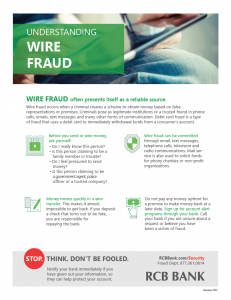
Click the thumbnail below for a printer-friendly flyer about wire fraud.
How We Protect You:
Our firewalls protect our computer systems interacting with the Internet against unauthorized access by outside individuals or networks.
SSL stands for “Secure Socket Layer.” This technology allows users to establish sessions with secure Internet sites, meaning they have minimal risk of external violation. Once inside the Internet Banking site, our use of SSL technology keeps you and your account information secure. Only browsers supporting the SSL security protocol with 128-bit encryption can connect to our system.
To gain access to our online banking system, users must authenticate to access their accounts via online banking. We lock out online banking user ID’s to prevent unauthorized access after three-failed log in attempts. In addition, our online banking system performs an automatic log off after 10 minutes of inactivity during an Internet Banking session.
Encryption turns words and phrases into coded language. All of your online activities during an Internet banking session become a string of unrecognizable numbers before entering the Internet.
We mask account and sensitive information online. We reveal only the last few digits of your account number during internet and mobile banking sessions.
How We Protect Your Business:
Some business services require an additional security layer in the form of One-Time Use PIN/Token technology. Each user issued a token is also issued a password to access this token which generates a random password to be entered into the Cash Management System allowing Cash Users to access additional services. This provides a double layer of login and password security.
RCB Bank does not send emails asking for personal or account information. RCB Bank does not send emails to customers or other users that contain links to click on.
What You Can Do:
- Install antivirus and firewall software on your computer and keep it up-to date.
- Make sure you have applied the latest security patches for your computer.
- Before you initiate an online transaction, make sure your personal information is protected by looking for indicators that the site is secure. URLs for secure sites typically begin with “https” instead of “http” and display a lock in the lower right corner of your browser.
- Be creative with your passwords. Never use your pet’s name, your child’s name or anything else that a fraudster could easily find out. The most secure passwords combine letters and numbers.
- Keep your username and password safe. Never share your online and mobile banking credentials with others.
- Be suspicious of any e-mail with urgent requests for personal financial information. RCB Bank will never call you or email you requesting any sensitive personal or account information.
- Be cautious about opening any attachments or downloading any files from e-mails, regardless of who sent them.
- Regularly log into your online accounts to verify that your bank, credit, and debit card statements and transactions are legitimate.
- Call us quickly if you think you have mistakenly given out your username/password so we can help secure your account.
Additional Tips for Mobile Banking:
- Always use official app stores to purchase apps.
- Avoid tampering with your phone’s operating system, often referred to as “jailbreaking” or “rooting”.
- Never store your passwords on the device or in other apps such as the note-taking app.
- Keep the phone’s operating system and the mobile bank app up-to-date.
Phishing Scams:
Phishing is an email scam used to steal your personal information. The email will claim to be from your bank or credit card company and may appear authentic. Be careful! Any email requesting personal information or asking you to verify account information is usually a scam. Do not respond to it and do not click on any link from the email.
How to spot a Phishing email scam
- Fails to address you by name.
- Requests for personal information. The email asks you to provide personal information such as your bank account number, an account password, credit card number, PIN number, mother’s maiden name, or social security number.
- Instructs you. To click on link or call a phone number to update your account or even claim a prize.
- Urgent appeals. The emails warns that your account will be shut down unless you reconfirm your financial information. Or states you have been a victim of identity theft.
- Obvious typos and other errors. These are often the mark of fraudulent emails and websites. Be on the lookout for typos or grammatical errors, awkward writing and poor visual design.
These are clear signs that someone is “phishing” for your information. If you receive a suspicious email that uses RCB Bank’s name, forward it to us immediately at [email protected].
Phishing Email Examples

In this phishing email, they want you to click on what looks like a “Health.com” link. In reality if you hover over the link, Loyarmtime.com is where you would be redirected and possibly open up a virus on your mobile device. If you aren’t sure of links in an email, delete it. You can hover over links to see if it actually takes you to the website it shows.
How We Protect You:
We do not solicit any account information through email. If you receive an email from someone who claims to be a bank representative and requests confidential information, do not respond and contact RCB Bank immediately at 855.226.5722.
What You Can Do:
Never respond to any email asking for confidential information, even if it appears urgent.
- Never click on a link from an email. Instead type the known website address into your internet browser.
- Do not call any phone number provided in a suspicious email.
- Always use anti-virus and anti-spyware on your computer and keep them up-to-date.
- Notify us immediately at 855.226.5722 if you have given out your information, so we can help protect your account
Fraud Prevention Tips
- Maintain current virus protection software and complete regular scans of your computer. Make certain the virus protection will also detect spyware/malware.
- Consider all email requests for personal information to be suspicious.
- Use your pop-up blocker. Never provide information in a pop-up box.
- Never click a link in an email unless you completely trust the sender.
- Make certain there is a lock symbol where you type in the web address or that the VeriSign symbol is displayed where you key in your account information. Also, make certain that “https:” shows in the website address, rather than “http:”.
- If you must be active on a social networking site, please use caution in what you post. Fraudsters and scammers watch the information that is posted and can use it in devious ways to steal your identity.
- Ignore emails from senders you do not know. Remember that the bank will never ask you to email your Social Security Number or other sensitive information!
- Create strong passwords using a mix of alpha/numeric/characters, etc.
- Do not download files on sites that you do not know.
- Always delete texts and messages from unknown individuals.
- Be wary of possible scammers on auction sites and sales sites.
- Never respond to online or phone surveys requesting personal information.
News & Announcements:
Find the latest Scams and Alerts here.
Protect Yourself:
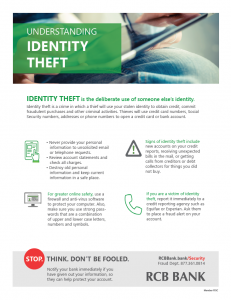
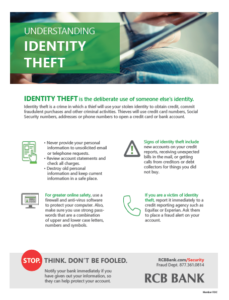
Identity theft is a crime in which a thief will use your stolen identity to obtain credit, commit fraud, or take other actions that can harm your reputation. Thieves will use credit card numbers, Social Security numbers, addresses or phone numbers to open a credit card or bank account, allowing for fraudulent purchases and other criminal activities. For the victim, correcting the damage can be costly and time consuming.
General Guidelines:
- Never provide personal information, such as passwords, bank account or credit card information in response to unsolicited email or telephone requests. RCB Bank will never contact you and ask for your personal information.
- Keep items with personal information in a safe place.
- Destroy old personal information such as checks, expired credit cards, items with account numbers and preapproved credit card solicitations in a shredder.
- Provide your Social Security number only when necessary.
- Do not carry your Social Security card in your wallet.
- Minimize the number of credit cards you carry and cancel inactive accounts.
- Sign the back of credit and debit cards with permanent ink.
- Take outgoing mail to the post office, rather than placing in your home mailbox. Place a hold on your mail with the post office, while on vacation.
- Review account statements regularly to ensure all charges are accurate.
Limit unwanted calls
Add your home and cell phone numbers to the National Do Not Call Registry. To sign up visit www.donotcall.gov or call 1.888.382.1222
Limit unwanted emails
- Use an email filter. Check your email account to see if it provides a tool to filter out potential spam or to channel spam into a bulk email folder.
- Limit your exposure. Try not to display your email address in public. That includes blog posts, chat rooms and social networking sites. Spammers use the web to harvest email addresses.
Reduce paper mail
Reduce the amount of mail you receive by calling the national credit bureaus’ opt-out line at 1.888.5.OPT.OUT (1.888.567.8688) or visiting their website at www.optoutprescreen.com. This action will reduce the number of pre-approved credit offers you will receive. There is an option to make this temporary or permanent and we recommend making this option permanent. You will see credit offers diminish after you choose this option.
Monitor your credit report
Check your credit report at least once a year at www.annualcreditreport.com. If you do not have access to the internet call 1.877.322.8228. We recommend making three separate requests during the year (one request per year from each credit reporting agency is free).
Online Safety
- Firewalls. Utilize a firewall to help screen out hackers, viruses and worms that try to reach your computer over the internet. Your internet service provider often offer this as a bundled service.
- Anti-Virus Software. To protect your computer from viruses, you should be using anti-virus software. You can buy such software online or from a computer store. Make sure your software is set to update automatically to keep up with the updates and best protection.
- Patching. Keeping your software current with patches is an important step in protecting your computer. Flaws or weaknesses in software can lead to your computer being compromised.
- Strong Passwords. Do not use passwords that are easily guessed, or include names of family members or pets. Passwords should be a combination of upper and lower case letters, numbers and symbols. Change your passwords regularly.
- Do not use public computers or public or unknown Wi-Fi, to access your accounts.
- Never log in to online accounts from an email; type the URL in the browser bar.
How to Recognize Signs of Identity Theft:
The following may be signs of identity theft:
- New accounts on your credit report that are not yours
- Not receiving an expected bill or statement in the mail
- Receiving calls from creditors or debt collectors regarding services or merchandise that you did not purchase
- Credit card or billing statements on accounts for which you did not apply
- Being denied credit or offered less than favorable terms for no reason
What To Do If You’re a Victim:
If the identity theft has seriously and substantially affected you financially, or through criminal impersonation, contact the local law enforcement agency that has jurisdiction where the crime was committed.
Fill out the ID Theft Affidavit online at the FTC site and send it to each credit reporting agency and to any affected creditors immediately: Call 1.877.ID.THEFT (877.438.4338) or go to www.identitytheft.gov.
Report the identity theft immediately to one of the credit reporting agencies and ask them to place a fraud alert on your account. The alert will remain on your report for about 90 days unless you choose to extend the alert or ask for a security freeze. If you call one agency, they will forward the fraud alert to the others:
- TransUnion: 1.800.680.7289 or www.transunion.com
- Equifax: 1.800.525.6285 or www.equifax.com
- Experian: 1.888.397.3742 or www.experian.com
- Close any affected accounts and stop payment on any stolen checks. Consider putting additional layers of security on any accounts that might be vulnerable.
- Do not use the same passwords and personal identification numbers that were on the compromised accounts – choose new ones.
- Notify the Department of Motor Vehicles if your driver’s license is stolen.
- If your checkbook is stolen notify your financial institution and check approval agencies:
- Telecheck, 1.800.710.9898, www.telecheck.com
- Certegy, Inc. (previously Equifax Check Systems), 1.800.437.5120
- Notify the postal inspector and your carrier if mail is involved.
- Call the Social Security fraud hotline 1.800.269.0271 if you believe your Social Security information has been compromised.
- If an identity thief has used your personal information to create tax problems call the IRS at 877.777.4778, or go to their website at www.irs.gov/advocate.
Click the thumbnail below for a printer-friendly flyer with information about identity theft.
What is a Spoof Website?
Spoof websites can lure unsuspecting people into giving away their information without knowing that they’re doing it. A spoof website will try to make itself look almost exactly like the website it is trying to spoof, hoping a person will enter their personal information or username and password.
Once a scammer’s fake, but legitimate-looking website gets indexed by search engines, it will appear in search results based on the search words you type.
Even if you are a seasoned internet user, it is easy to fall prey to the sophisticated techniques that are used in website spoofing. With the wool pulled over your eyes, you could inadvertently give phishers extremely damaging information. The best way to handle spoofed websites is by exercising caution at all times.
Finding your way onto a spoofed website usually happens by using vague or incorrect search engine terms. It also can happen if you type a web address too quickly and accidentally transpose two letters or misspell the web address.
How to Spot Spoof Websites
There are several ways to spot a fake website:
- Misspellings and grammar mistakes: While most fraudulent websites try to make it look as close to the actual website they’re trying to spoof as possible, misspellings or improper capitalization of words sometimes creep in. Also look for missing periods or commas
- Take a close look at the URL: If the URL isn’t what you expect it to be, it’s probably a spoof website. Close that website as soon as possible.
- Blurry logos or images: Because spoof websites don’t have access to original company logos and images, the ones they’ll use are lower resolution and likely will appear to be blurry on the spoof website.
If you see any of these red flags, don’t click on any links.
How to Prevent Visiting a Spoof Website
If it is a website you visit often, such as your bank website, bookmarking the website and accessing it directly via the bookmark will prevent you from accidentally typing in the website address incorrectly.
Also, be extra careful when using a search engine. Ensure the words are spelled correctly.
Before clicking on a link, hover over it and read the true website address at the bottom left of the browser. If it isn’t familiar, don’t click on the link.
By taking your time and being careful, you should be able to avoid most problems.
What To Do if You Suspect a Spoof Website
If you happen across a spoofed website, you can report the fake website to the federal government here https://reportfraud.ftc.gov/ and you can report it to Google as well here https://safebrowsing.google.com/safebrowsing/report_phish/?hl=en
Opinions expressed above are the personal opinions of the author and meant for generic illustration purposes only. RCB Bank, Member FDIC.
Sources:
https://www.phishing.org/phishing-and-spoofing
Unemployment insurance fraud is on the rise nationwide.
The following two main methods are being used:
- Individuals committing wire fraud. People who are victims of romance or phishing scams unknowingly allow their accounts to be used as a mule to transfer funds. The person would receive multiple ACH deposits from an unemployment benefit program in different names with no connection to their account. This is a red flag. If it has happened to you, follow the steps below.
- Fraudulent claims filed in employees’ names. In this case, fraudsters use personal identification information to file unemployment claims on the behalf of individuals to companies they may or may not work at or may have never worked at. If your company receives an unemployment claim letter, follow the steps below.
Tips to prevent unemployment fraud:
- Never provide personal information, such as passwords, bank account or credit card information in response to unsolicited email or telephone requests.
- Keep items with personal information in a safe place.
- Destroy old personal information such as checks, expired credit cards, items with account numbers and preapproved credit card solicitations in a shredder.
- Provide your Social Security number only when necessary.
- Do not carry your Social Security card in your wallet.
- Minimize the number of credit cards you carry and cancel inactive accounts.
- Sign the back of credit and debit cards with permanent ink.
- Take outgoing mail to the post office, rather than placing in your home mailbox. Place a hold on your mail with the post office, while on vacation.
- Review account statements regularly to ensure all charges are accurate.
What is Ransomware?
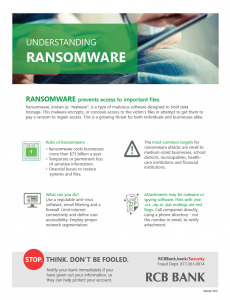
Ransomware, a type of malicious software, known as “malware”, that is designed to hold data hostage, is a tangible, growing concern for both individuals and businesses alike. This malware encrypts, or conceals access, to the victim’s files in attempt to get them to pay a ransom to regain access.
Who is Targeted?
Anyone. Everyone. Though, the most common earmarks are small to medium businesses, school districts, municipalities, energy companies, healthcare institutions, and financial institutions.
Small to medium-sized businesses made up 71% of the ransomware target vector compared to the remaining 29% categorized as middle market.1
More recently, attackers have targeted more school districts, municipalities, and energy companies. In 2019 alone, nine different major American cities were hit by ransomware attacks.2
What is There to Lose?
What do you have?
Money? Data? Trade Secrets? Intellectual Property? Personal information? Customer records?
You name it, they want it.
The ultimate goal of ransomware is for the attacker to gain something of value. Generally, there is a proposal of exchange: Your data for a sum of money. Unfortunately, there is no actual guarantee that once you have paid the attacker will release your information back to you.
In some cases, if you choose to pay the ransomware, you may just be losing on both fronts.
- Ransomware downtime costs organizations more than $64k on average.3
- Ransomware is costing businesses more than $75 billion per year.4
- After getting hit by the SamSam ransomware attack in March 2018, Atlanta, Georgia has spent more than $5 million rebuilding its computer network, including spending $3 million hiring consultants and crisis managers.5
Is it Preventable?
Yes and no. While as there is no “boxed” solution, there are preventative measures that can be taken in order to help mitigate such an attack.
- Follow an Information Security Framework.
The below items are all aspects of a strong security posture. There are several resources available to build from. (See cited sources below.) - Educate yourself.
Know what a legitimate email looks like verses a phishing attempt. Perform self-checks and be sure not to arbitrarily provide personal information over email, especially if you are not sure or do not trust the sender. Have an information security training program in place for your employees. - Limit internet connectivity and define user accessibility.
If you have genuinely critical data, keep your network as inaccessible to the public as possible. Regular users on your network should not have administrative rights and should be given as little access as possible on a strictly “need” basis. - Employ proper network segmentation.
Keep more valuable data sequestered and safe from public reach. This helps limit the data an attacker might access. - Use reputable anti-virus software, email filtering, and a firewall.
Maintaining a strong, properly-configured firewall, filtering incoming email messages, and keeping your endpoint protection up to date are critical. It’s important to use software from a credible company because there are plenty of fake software packages available online. - Apply early threat detection systems.
There exists software and applications that act as an overlay in which can detect unusual behaviors within your infrastructure. Such software can also help manage current vulnerabilities, inventory management, as well as user behavior analytics. - Enforce strong password security and practices.
Utilize a password management strategy that focuses on length as complexity, such as implementing a 16-character minimum passphrase. Never have passwords in plain text or written down to where it could be accessed by someone else. - Use Multi-Factor Authentication.
If available, the use of MFA can add an extra layer of security in accessing user accounts or system-critical data. - Keep your software up-to-date and patched.
Many exploits come from out-of-date software that has become vulnerable. Regular patching of software is necessary to help prevent infection. This also includes removing deprecated software. - Set up viewable file extensions and limit executable files.
Windows allows you to set up your computers to show the file extensions when you look at a file. Limit users to viewable files and keep them from being able to download or run executable files. - Back up your information.
In the event of a disaster or ransomware attack, having reliable backups are imperative. Create restore and recovery points periodically. This simple step could help ensure that you have a quick recovery from any potential problem. - Invest in Cyber Insurance.
This can help cover the costs of an attack. Most Cyber Insurance companies will pay out the ransom, but the deductible is usually around $10k.6 - Use VPN when traveling.
The use of a Virtual Private Network is a great security measure to make certain that your traffic is encrypted. - Limit internet connectivity and define user accessibility.
If you have genuinely critical data, keep your network as inaccessible to the public as possible. Regular users on your network should not have administrative rights and should be given as little access as possible on a strictly “need” basis. - Employ proper network segmentation.
Keep more valuable data sequestered and safe from public reach. This helps limit the data an attacker might access.
If I Get Attacked What Should I Do?
Experts suggest not to pay the ransomware.7 Not only does it encourage future attacks, but there is no guarantee that the hacker will comply once the payment is received.
Organizations should invest in capable, educated, information security team and/or an incident response team that is prepared to react in the event of an attack. Unplug the Ethernet cable from the affected device and contact the experts. Explain exactly what happened and do not leave out any details.
What is the Possible Impact of Ransomware?
Ransomware can result in many different negative consequences, including:
- Temporary or permanent loss of sensitive or proprietary information.
- Disruption to regular operations.
- Financial losses incurred to restore systems and files.
- Potential harm to the organization’s reputation.
Click the image to enlarge. This information is available in a printer-friendly flyer that you can download by clicking the button below.
Sources Cited
Superscript:
- https://www.beazley.com/news/2019/beazley_breach_briefing_2019.html
- https://www.msspalert.com/cybersecurity-breaches-and-attacks/ransomware/attack-list-cities-government-agencies/
- https://www.datto.com/news/datto-releases-global-state-of-the-channel-ransomware-report
- https://www.datto.com/news/american-small-businesses-lose-an-estimated-75-billion-a-year-to-ransomware
- https://statescoop.com/atlanta-was-not-prepared-to-respond-to-a-ransomware-attack/
- https://www.darkreading.com/operations/average-breach-falls-below-cyber-insurance-policy-deductible-study-shows/d/d-id/1324652
- https://krebsonsecurity.com/2016/12/before-you-pay-that-ransomware-demand/
Security Framework Resources:
No More Ransomware Security Project:
What You Can Do To Protect Your Business
You have worked hard to build your business. That’s why we want to help you protect it. Fraudsters target businesses because they know it can be lucrative if their fraud scheme works. Let’s look at some common fraud types that target businesses.
Corporate Account Takeover (CATO)
CATO is a type of identity theft in which a criminal steals a business’s online banking credentials and then uses those credentials to initiate funds transfers out of the account via ACH, Wire or Bill Payment.
Business Computer Security
- Setup a Firewall and actively manage it.
- Purchase and install Anti-Spyware/Malware
- Website, Application & Pop-Up Blocking. Your firewall and anti-spyware/malware as well as your end-point protection software can each be setup to block web sites or applications that may represent a greater risk for malware or fraud.
- Isolate One Computer for Banking Use. If possible, setup one PC and limit that PC to only conduct banking activity and DO NOT allow this PC to be used for general web browsing, email and social networking. This will reduce the threat of being infected.
- Patch All Systems. Enable automatic updates for operating system patches.
- Avoid connecting to public Wi-Fi networks with your business computers.
- Be ultra-cautious when clicking on links. Take the time to open a browser and manually type the URL if you have any questions about the link.
Online Banking User Security
- Do Not Share User IDs or Passwords. Each user should have their own user ID and password, which should be secured and not visible or accessible to others.
- Use Dual Control. When conducting funds transfers such as Wires or ACH and require two users to complete the transaction. One employee to create the wire request and another to approve it before processing transactions.
- Keep Your Businesses Contact Information Current. This is important in the event RCB should need to contact the user to confirm any suspicious transaction.
- Enroll in Alerts. Sign up for transaction and balance alerts.
If you suspect your business has experienced a Corporate Account Takeover attack, contact RCB immediately! The sooner you detect an attack and report it to us, the quicker we can react to stop losses and potentially recover funds. Call us at 855-226-5722
Business E-Mail Compromise (BEC)
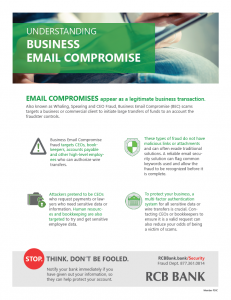
BEC is a sophisticated fraud that targets businesses that regularly perform wire transfer payments. The fraud is conducted by compromising legitimate business e-mail account through social engineering or computer intrusion techniques to conduct unauthorized transfer of funds.
Here are just a few examples:
Fake Invoice or Modified Invoice Scam
Criminal will impose as familiar supplier and contact business to wire funds for invoice payment to alternate fraudulent account. Criminals often spoof the email request so it appears very similar to legitimate supplier. Request may come from telephone, fax or email.
Business Executive/CEO Imposter Fraud
Occurs when e-mail accounts of high-level business executives (CFO, CTO, etc.) are compromised. The account may be spoofed or hacked. A request for a wire transfer from the compromised account is made to a second employee within the company who is normally responsible for processing these requests.
Attorney Impersonation
Fraudster will claim to be handling time sensitive or confidential matters requesting urgency and secrecy on sending funds. Contact made typically by phone or email.
Business Email Compromise
- Establish a multi-person approval process for transactions above a certain amount
- Set up a system that requires a valid purchase order and approvals from a manager and a finance officer to spend money.
- Authenticate requests to make a payment or change payment instructions by vendors, and independently verify change in payment instructions.
- Remember-email is never a secure way to send financial information. Question any emailed payment requests that include account information.
- Slow down. Take time to verify any request, even an urgent one. Be suspicious of any request for secrecy.
- Use a shredder to destroy sensitive information.
Other methods used to steal information include the following and educating your employees will help prevent user and account information ending up in the wrong hands.
Phishing
This fraud involves a fake e-mail; instant message or social media message that looks like it comes from a legitimate source like the bank, or a government agency or online services such as Paypal, Facebook etc. The message will ask you to update, validate or confirm your account information including password-any may even threaten to terminate the account if there is no response from you. The e-mail typically include a link to a fake website that looks like it is the legitimate organization.
SMiShing
This is the cell phone version of “Phishing”. Using fake company emails, scammers send text messages that appear to be from legitimate well-known companies but contain counterfeit links to websites that ask for personal and sensitive information. The text will indicate there is an urgent need to take action and update your personal information.
Vishing
Telephone fraud that uses a technique called caller ID spoofing, which makes it look like calls are coming from a legitimate or known phone number and the caller proceeds to ask for card numbers or other sensitive information. If in doubt, call the supposed company back from a known number from your system or telephone book. Never rely on caller ID.
Please feel free to contact us with any questions you may have. Additionally, visit other tabs in this security center to learn more.
Fraud Scams: Quick Reference Guide
Use this quick reference guide to learn about scams and how to recognize the warning signs.
IRS Letter/Email Scam
IRS Warns Taxpayers of New Scam Mailing/Email
The IRS is warning taxpayers to be on the lookout for a new scam mailing that tries to mislead people into believing they are owed a refund. The new scheme involves a mailing coming in a cardboard envelope from a delivery service. The enclosed letter includes the IRS masthead and wording that a notice is “in relation to your unclaimed refund.”
Like many scams, the letter includes contact information and a phone number that do not belong to the IRS. But it also seeks a variety of sensitive personal information from taxpayers, including detailed pictures of driver’s licenses and bank account information, that can be used by identity thieves to try obtaining a tax refund and other sensitive financial information.
In this new scam, there are many warning signs that can be seen in many similar schemes via email or by text including odd punctuation and a mixture of fonts. An unusual feature of this scam is that it tries tricking people to email or phone very detailed personal information in hopes of stealing valuable information.
The IRS will not initiate contact with taxpayers by email, text or social media to request personal or financial information. They also will not call taxpayers with threats or arrests, nor will they call, email or text to request taxpayers’ Identity Protection PIN’s. Visit the IRS Taxpayer Guide to Identity Theft for more information on ways to protect yourself from these scams.
Fake Check Scam
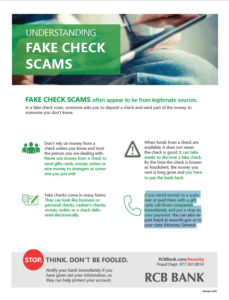
In a fake check scam, someone asks you to deposit a check and send part of the money to someone you don’t know.
Don’t rely on money from a check unless you know and trust the person you are dealing with. Never use money from a check to send gifts cards, money orders or wire money to strangers or someone
you just met.
Fake checks come in many forms. They can look like business or personal checks, cashier’s checks, money orders or a check delivered electronically. When funds from a check are available, it does not mean the check is good. It can take weeks to discover a fake check. By the time the check is known as fraudulent, the money you sent is long gone and you have to pay the bank back.
If you wired money to a scammer or paid them with a gift card, call those companies immediately and put a stop on your payment. You can also report fraud at www.ftc.gov or to your state Attorney General.
Online Sales Scams (Facebook Marketplace / Craigslist)
What is it?
There are a variety of ways a fraudster attempts online sales scams. Here are some of the most common scams:
- The fraudster will post something on an online sales website (Facebook Marketplace, Craigslist, etc.) for sale and then…
- That item is nonexistent. They want you to give them your information, pay them immediately, purchase gift cards for payment, have a friend meet up with you for payment, etc.
- After you have messaged a fraudster selling an item, the fraudster wants you to talk with them on a different channel (texting, snapchat, etc.) and pay them through a platform that makes the money irretrievable after being sent (wire transfer, Venmo, etc.).
- The fraudster wants you to pay them first and then will ship the item to you. However, they never send you anything. By paying for an item upfront, you then are out of money as you never receive what you paid for. The fraudster may even send you fake screenshots of the shipping label and box, but never actually send you anything.
- The item that you’re looking to purchase is actually fake or stolen. If the cost of the item is significantly below typical pricing, it is most likely a scam.
- The fraudster requests advance payment or a deposit for an item because of how popular the item is. After receiving payment, the fraudster will block you and you will never receive the item you want to purchase.
- Fraudsters are posting fake apartment and home rental listings on marketplace. They request money for a deposit, application fees, background check fees and more. Many times the listing is nonexistent or highlighting a property that is legitimate, but owned by someone else and unavailable.
- You purchase the item and it does not work. The seller knew the item was broken, but didn’t allow you to check the item out before purchasing.
- The fraudster is selling a car and requests a deposit immediately to hold the car. They will then give a fake address to meet at in exchange for the car.
- You have posted something for sale and a fraudster responds to your listing…
- The fraudster wants you to meet up with a friend of theirs for pickup as they live out of state or are unable to drive at the moment. They want to
- The fraudster will use a stolen debit or credit card to pay you more than your asking price. They will then claim to have made an error and ask you to send money back to them for the overage amount. The initial payment will decline as the card’s owner will claim it as fraud, so you will be stuck having paid the fraudster and potentially out of your item that you sold too. To prevent this, if you receive an overpayment, decline the payment and ask the person to send you the correct amount.
- The fraudster messages you about the item you have for sale. They want you to provide them a phone number to prove that you are a real person. They will then use that phone number to open a Google Voice account. You will receive a verification code from Google to verify your identity. The fraudster will ask you for that code. DO NOT give them the code! They will be able to input your code and they now own a new Google Voice number that they can use however they like.
Tips to prevent being a victim of social media sales
- NEVER share your personal, sensitive information like bank account number, credit / debit card number, social security number or personal facts about yourself.
- Always look at the seller’s or buyer’s profile before making a purchase. Make sure the account isn’t brand new. If the account was built within the last couple months, consider this a red flag.
- Always test out the item before you purchase it. Products like electronics and appliances should always be carefully inspected before purchase.
- Meet a seller / buyer in person for payment / product pick up.
- Don’t pay for an item before you receive it. Pay at the time of receipt.
- When looking at online listings for rental properties, request to schedule a time to view the property and do so before putting any money down.
- Don’t participate in a sale that you are being pressured to buy quickly.
- If a seller or buyer asks for your phone number and wants to verify your identity with a text code, cut off contact with them. This is most likely a scam.
- Ask for a tracking number for items being shipped to you.
- If you receive an overpayment, decline the payment and ask the person to send you the correct amount.
Anyone can be an online sales victim. Be vigilant and aware of common scams before engaging in online sales.
Fake RCB Bank Employee Scam
What is it?
Someone claiming to be an RCB Bank employee calls you indicating you have fraud on your account, but needs to confirm your identity before discussing it further. The fraudster will ask for information such as your debit card number, PIN, social security number, mother’s maiden name, etc. We will never call you to ask for your information! If you believe the caller may be legitimate, confirm the identity of the caller by hanging up and calling RCB Bank back with our legitimate number.
Fake Amazon / PayPal Scam
What is it?
You will receive an email that looks fairly legitimate indicating that your account has been suspended, you need to update your password or an order has been placed with your account that you cannot cancel without calling.
How can I tell it’s a scam?
- The email address is not a legitimate email address.
- The company logo in the email looks a little different or is pixelated.
- There’s an urgency to the email indicating you need to take immediate action.
- The grammar, spelling and/or punctuation is off in the email.
- You must call a phone number to cancel your order, but cannot complete it online.
Phishing / Vishing / SMiSing
Phishing
This fraud involves a fake e-mail; instant message or social media message that looks like it comes from a legitimate source like the bank, or a government agency or online services such as Paypal, Facebook etc. The message will ask you to update, validate or confirm your account information including password-any may even threaten to terminate the account if there is no response from you. The e-mail typically include a link to a fake website that looks like it is the legitimate organization.
SMiShing
This is the cell phone version of “Phishing”. Using fake company emails, scammers send text messages that appear to be from legitimate well-known companies but contain counterfeit links to websites that ask for personal and sensitive information. The text will indicate there is an urgent need to take action and update your personal information.
Vishing
Telephone fraud that uses a technique called caller ID spoofing, which makes it look like calls are coming from a legitimate or known phone number and the caller proceeds to ask for card numbers or other sensitive information. If in doubt, call the supposed company back from a known number from your system or telephone book. Never rely on caller ID.
Please feel free to contact us with any questions you may have. Additionally, visit other tabs in this security center to learn more.
Employment Scams
What is it?
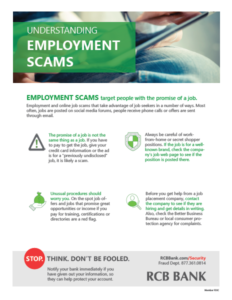
Employment Scams target individuals with the promise of a job that, typically, involves processing financial transactions for the employer.
Who are the victims?
Job seekers, college students, underemployed, stay-at-home parents, or retirees may be susceptible to these scams.
How does it work?
Fraudsters will post ads on online forums and social networks such as Craigslist and Facebook, as well as send out emails and text messages to large groups of random individuals, promising high paying jobs that can be done from home. If the fraudster believes a specific institution has controls that can be exploited, they may request the victim open an account at a targeted institution. Otherwise, the fraudster will use the existing accounts of the victim to conduct the fraud. The fraudster uses the victim’s financial information to either initiate ACH credits or perform mobile deposits to the account. They then instruct the victim to forward the funds into an account the fraudster controls, less a processing/administrative fee that is meant as payment to the victim. When the unauthorized ACH or fraudulent check returns, the victim is typically held responsible for the loss.
Always be careful of work-from-home or secret shopper positions. If the job is for a well-known brand, check the company’s job web page to see if the position is posted there. Unusual procedures should
worry you. On the spot job offers and jobs that promise great opportunities or income if you pay for training, certifications or directories are a red flag.
Before you get help from a job placement company, contact the company to see if they are hiring and get details in writing. Also, check the Better Business Bureau or local consumer protection agency for complaints.
Click the thumbnail above for a printer-friendly flyer on employment scams.
Lottery Scams
What is it?
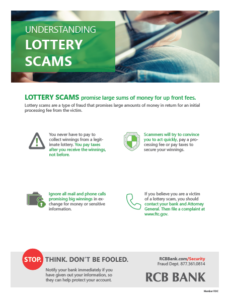
Lottery Scams promise large lottery winnings in return for an initial
processing fee from the victim.
Who are the victims?
General public, but typically elderly persons, and those who may be financially vulnerable.
How does it work?
Fraudsters will use mass phishing techniques to identify victims, and lure them in with the prize of a large lottery win. Victims are requested to forward a processing fee to the fraudster before receiving their winnings. If the victim does forward a fee, then the fraudster will make additional requests for funds — often under the guise of withholding tax fees or administration fees. This will continue until the victim catches on or runs out of money.
Click on the thumbnail below to download a printer-friendly flyer with information about lottery scams.
Online & Payday Loan Scams
What is it?
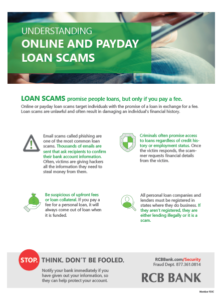
A fraud targeting individuals with the promise of a loan in exchange
for a fee.
Who are the victims?
College students, underemployed, individuals facing some form of addiction (gambling,
substance abuse).
How does it work?
Fraudsters will post ads on online forums and social networks such as Craigslist and Facebook, as well as send out emails and text messages to large groups of random individuals. These ads promise access to loans regardless of credit history or employment status. Once the victim responds, the fraudster will request financial details from the victim such as account information or online/mobile login credentials. The fraudster will use this information to either initiate ACH credits or perform mobile deposits to the account with instructions for the victim to then return a portion of the funds as part of a processing fee.
Click the thumbnail below to download a printer-friendly flyer with information about online & payday loan scams.
Romance Scams
What is it?
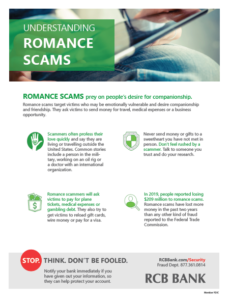
A fraud that targets victims who may be emotionally vulnerable with
companionship and friendship, with the goal of having the victim send
funds for travel, medical care, or a business opportunity.
Who are the victims?
Those who are widowed, retired, divorced or are single.
How does it work?
Fraudster will make contact with the victim through social media networks, online forums, or dating sites. The fraudster is typically located overseas but may portray themselves as an American (military, business professional, etc.). This fraud may takes months to develop as the fraudster builds trust with the victim. At some point the fraudster will make a request for money. Typical requests include travel expenses to see the victim; emergency medical expenses for the fraudster or a family member — usually a child; or a business opportunity that will allow them to get enough money to live together. The fraudster will generally begin by requesting a small amount of money, and increase the requests over time.
Click the thumbnail below for a printer-friendly flyer about romance scams.
Alerts
It’s Tax Fraud Season. Be Aware
The IRS doesn’t initiate contact with taxpayers by email, text messages or social media channels to request personal or financial information. Recognize the telltale signs of a scam.
Small Businesses Are Being Targeted By Fraudsters
Hackers are infiltrating small and and large businesses with social engineering tactics, such as phishing & vishing, customer account compromise and vendor management intrusion. The National Institute of Standards and Technology offers a framework to help businesses protect their work spaces. Each business has unique risks and will require tailored security measures and training. We can help.
An email extortion scam in the form of a bomb threat is making its way to inboxes of several businesses, namely financial institutions. The hoax suggests a bomb has been planted in the building and will only be detonated if a bitcoin ransom is not paid by the end of the workday. Read more.
Fraudsters can compromise a merchant’s system by use of malware or by attaching a physical device, such as a skimmer, which reads the data in the magnetic stripe and can be used to produce a fake card. Find out how RCB Bank protects you and how you can protect yourself.
Before you leave for vacation, check out these travel planning tips to prevent fraud while on vacation.
Wiring money is a quick way to send and receive money. It’s also a prime target for fraud. Find out what you need to know about wire fraud.
What is it?
There are a variety of ways a fraudster attempts online sales scams. Here are some of the most common scams:
- The fraudster will post something on an online sales website (Facebook Marketplace, Craigslist, etc.) for sale and then…
- That item is nonexistent. They want you to give them your information, pay them immediately, purchase gift cards for payment, have a friend meet up with you for payment, etc.
- After you have messaged a fraudster selling an item, the fraudster wants you to talk with them on a different channel (texting, snapchat, etc.) and pay them through a platform that makes the money irretrievable after being sent (wire transfer, Venmo, etc.).
- The fraudster wants you to pay them first and then will ship the item to you. However, they never send you anything. By paying for an item upfront, you then are out of money as you never receive what you paid for. The fraudster may even send you fake screenshots of the shipping label and box, but never actually send you anything.
- The item that you’re looking to purchase is actually fake or stolen. If the cost of the item is significantly below typical pricing, it is most likely a scam.
- The fraudster requests advance payment or a deposit for an item because of how popular the item is. After receiving payment, the fraudster will block you and you will never receive the item you want to purchase.
- Fraudsters are posting fake apartment and home rental listings on marketplace. They request money for a deposit, application fees, background check fees and more. Many times the listing is nonexistent or highlighting a property that is legitimate, but owned by someone else and unavailable.
- You purchase the item and it does not work. The seller knew the item was broken, but didn’t allow you to check the item out before purchasing.
- The fraudster is selling a car and requests a deposit immediately to hold the car. They will then give a fake address to meet at in exchange for the car.
- You have posted something for sale and a fraudster responds to your listing…
- The fraudster wants you to meet up with a friend of theirs for pickup as they live out of state or are unable to drive at the moment. They want to
- The fraudster will use a stolen debit or credit card to pay you more than your asking price. They will then claim to have made an error and ask you to send money back to them for the overage amount. The initial payment will decline as the card’s owner will claim it as fraud, so you will be stuck having paid the fraudster and potentially out of your item that you sold too. To prevent this, if you receive an overpayment, decline the payment and ask the person to send you the correct amount.
- The fraudster messages you about the item you have for sale. They want you to provide them a phone number to prove that you are a real person. They will then use that phone number to open a Google Voice account. You will receive a verification code from Google to verify your identity. The fraudster will ask you for that code. DO NOT give them the code! They will be able to input your code and they now own a new Google Voice number that they can use however they like.
Tips to prevent being a victim of social media sales
- NEVER share your personal, sensitive information like bank account number, credit / debit card number, social security number or personal facts about yourself.
- Always look at the seller’s or buyer’s profile before making a purchase. Make sure the account isn’t brand new. If the account was built within the last couple months, consider this a red flag.
- Always test out the item before you purchase it. Products like electronics and appliances should always be carefully inspected before purchase.
- Meet a seller / buyer in person for payment / product pick up.
- Don’t pay for an item before you receive it. Pay at the time of receipt.
- When looking at online listings for rental properties, request to schedule a time to view the property and do so before putting any money down.
- Don’t participate in a sale that you are being pressured to buy quickly.
- If a seller or buyer asks for your phone number and wants to verify your identity with a text code, cut off contact with them. This is most likely a scam.
- Ask for a tracking number for items being shipped to you.
- If you receive an overpayment, decline the payment and ask the person to send you the correct amount.
Anyone can be an online sales victim. Be vigilant and aware of common scams before engaging in online sales.
What To Do If You’re a Victim:
If the identity theft has seriously and substantially affected you financially, or through criminal impersonation, contact the local law enforcement agency that has jurisdiction where the crime was committed.
Fill out the ID Theft Affidavit online at the FTC site and send it to each credit reporting agency and to any affected creditors immediately: Call 1.877.ID.THEFT (877.438.4338) or go to www.identitytheft.gov.
Report the identity theft immediately to one of the credit reporting agencies and ask them to place a fraud alert on your account. The alert will remain on your report for about 90 days unless you choose to extend the alert or ask for a security freeze. If you call one agency, they will forward the fraud alert to the others:
- TransUnion: 1.800.680.7289 or www.transunion.com
- Equifax: 1.800.525.6285 or www.equifax.com
- Experian: 1.888.397.3742 or www.experian.com
- Close any affected accounts and stop payment on any stolen checks. Consider putting additional layers of security on any accounts that might be vulnerable.
- Do not use the same passwords and personal identification numbers that were on the compromised accounts – choose new ones.
- Notify the Department of Motor Vehicles if your driver’s license is stolen.
- If your checkbook is stolen notify your financial institution and check approval agencies:
- Telecheck, 1.800.710.9898, www.telecheck.com
- Certegy, Inc. (previously Equifax Check Systems), 1.800.437.5120
- Notify the postal inspector and your carrier if mail is involved.
- Call the Social Security fraud hotline 1.800.269.0271 if you believe your Social Security information has been compromised.
- If an identity thief has used your personal information to create tax problems call the IRS at 877.777.4778, or go to their website at www.irs.gov/advocate.
Click the thumbnail below for a printer-friendly flyer with information about identity theft.
What is Elder Financial Exploitation?
Elder financial exploitation involves the unauthorized or illegal use of an elderly person’s funds, assets, or property. This form of exploitation can take various forms, such as scams, identity theft, coercion or even misappropriation of funds by trusted individuals, including family members or caregivers. According to the Elder Abuse Prosecution and Prevention Act, “elder fraud is defined as schemes that target or disproportionately impact those who are 60 or older.”
Examples of Elder Financial Exploitation:
According to the Consumer Financial Protection Bureau, these are examples of elder financial exploitation:
- Telemarketing scams
- Email Scams
- Social Media Scams
- Power of attorney fraud
- Identity theft
- Interception of checks or cash
- Befriending an elder to obtain elaborate gifts
- Convincing an elder to hand over money or personal property
- Coercing the person to change their estate planning documents
- Forging the person’s signature
- Home improvement scams and
- Failing to pay for the cost of a nursing home.
Warning Signs of Elder Financial Exploitation:
According to the Consumer Financial Protection Bureau, these are examples of warning signs of elder financial exploitation:
- Sudden and unexpected withdrawals from the account.
- Newly opened accounts.
- Notice unnecessary subscriptions or services on statement history.
- Sudden change in the person’s financial health.
- Unexplained ATM withdrawals.
- Sudden transfer of assets.
- A new person in the elder’s life who offers to manage assets and finances.
- Missing items in the home.
- Financial statements sent to another party.
- A family member or caretaker isolating the elder, keeping them from contacting others.
Reporting Elder Financial Exploitation:
We encourage you to visit these helpful links for information on how you can report elder financial exploitation:
To report a fraudulent claim in Kansas, take the following steps:
To report a fraudulent claim as an individual in Kansas, take the following steps:
- Email the KDOL at [email protected]. Include your name, the claim number (if it appeared on the information you received) and your email address. Scan and attach any documentation. OESC will immediately put a STOP on any reported claim.
- If you have received any Way2Go cards from the KDOL, notify your bank that you received them. After notifying KDOL and your company’s HR, it’s important to destroy the cards.
- Check with your financial institution and credit card companies to ensure your personal information has not been compromised further. You may also obtain a free copy of your credit report from www.ftc.gov/faq/consumer-protection/get-my-free-credit-report.
- Consider filing a credit freeze or extended fraud alert because you are a victim of ID theft. Details on both, as well as how to file, can be found at Consumer.ftc.gov.
- The Kansas Department of Labor has also created a form to complete to report unemployment fraud. Information can be found at https://www.dol.ks.gov/unemployment/report-fraud.
To report a fraudulent claim as a business in Kansas, take the following steps:
- Email the KDOL at [email protected]. Scan and include all documentation, including the claim form you received. You will receive an auto-reply email but may not receive a callback.
- You must file the protest within 10 days of the date of mailing on claims you received. In that filing, you give the reason for that protest.
- File a report with Kansas Department of Labor online as well. Information can be found at www.dol.ks.gov/ui-faqs/unemployment-fraud. At the bottom of that page you will see “How do I report my suspicions of UI fraud” where you will access the form.
To report a fraudulent claim in Oklahoma, take the following steps:
To report a fraudulent claim as an individual in Oklahoma, take the following steps:
- Email the OESC at [email protected] and also the OESC supervisor at [email protected]. Include your name, the claim number (if it appeared on the information you received) and your email address. Scan and attach any documentation. OESC will immediately put a STOP on any reported claim.
- If you have received any Way2Go cards from the Oklahoma Employment Security Commission, notify your bank that you received them. After notifying OESC and your company’s HR, it’s important to destroy the cards.
- Check with your financial institution and credit card companies to ensure your personal information has not been compromised further. You may also obtain a free copy of your credit report from https://www.ftc.gov/faq/consumer-protection/get-my-free-credit-report.
- Consider filing a credit freeze or extended fraud alert because you are a victim of ID theft. Details on both, as well as how to file, can be found at www.consumer.ftc.gov.
- The Oklahoma attorney general has also created a form he encourages you to complete to report unemployment fraud. Information can be found at www.oag.ok.gov/attorney-general-hunter-launches-new-effort-to-assist-victims-of-unemployment-fraud. At the bottom of that page you will see “to access the form, click here,” where you will access the form.
To report a fraudulent claim as a business in Oklahoma, take the following steps:
- Email the OESC at [email protected] and the OESC supervisor at [email protected]. Scan and include all documentation, including the claim form you received. You will receive an auto-reply email but may not receive a callback.
- You must file the protest within 10 days of the date of mailing on claims you received. In that filing, you give the reason for that protest
- File a second report with the Oklahoma attorney general. Information can be found at www.oag.ok.gov/attorney-general-hunter-launches-new-effort-to-assist-victims-of-unemployment-fraud. At the bottom of that page, you will see “to access the form, click here,” where you will access the form.